Lo-fi prototyping with Figma conditionals
The team needed to test a set of form-based flows with users quickly. The flows required dynamic text to change based on what users had previously entered. Standard Figma prototyping doesn't support this. I used Figma's variables and conditional logic system to build a branching, dynamic prototype that was ready for user testing in under two days.
The challenge
We had a tight research timeline and no engineering capacity available. The flows required personalised text: the prototype needed to remember what a user had selected on a previous screen and reflect it in the copy on subsequent screens.
After a quick team discussion about options (including using a developer to build something, or using Cursor) we agreed that Figma's newer variables system could handle what we needed, if set up correctly. I took it on.
How it works
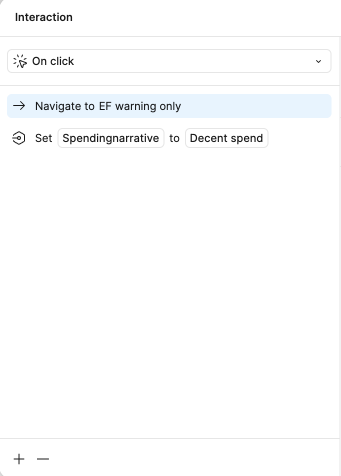
The prototype uses Figma's component properties and conditional variables to create branching logic. Each screen is built as a component with variable-driven text fields; when a user makes a selection, a variable is set, and subsequent components read that variable to display the appropriate copy.
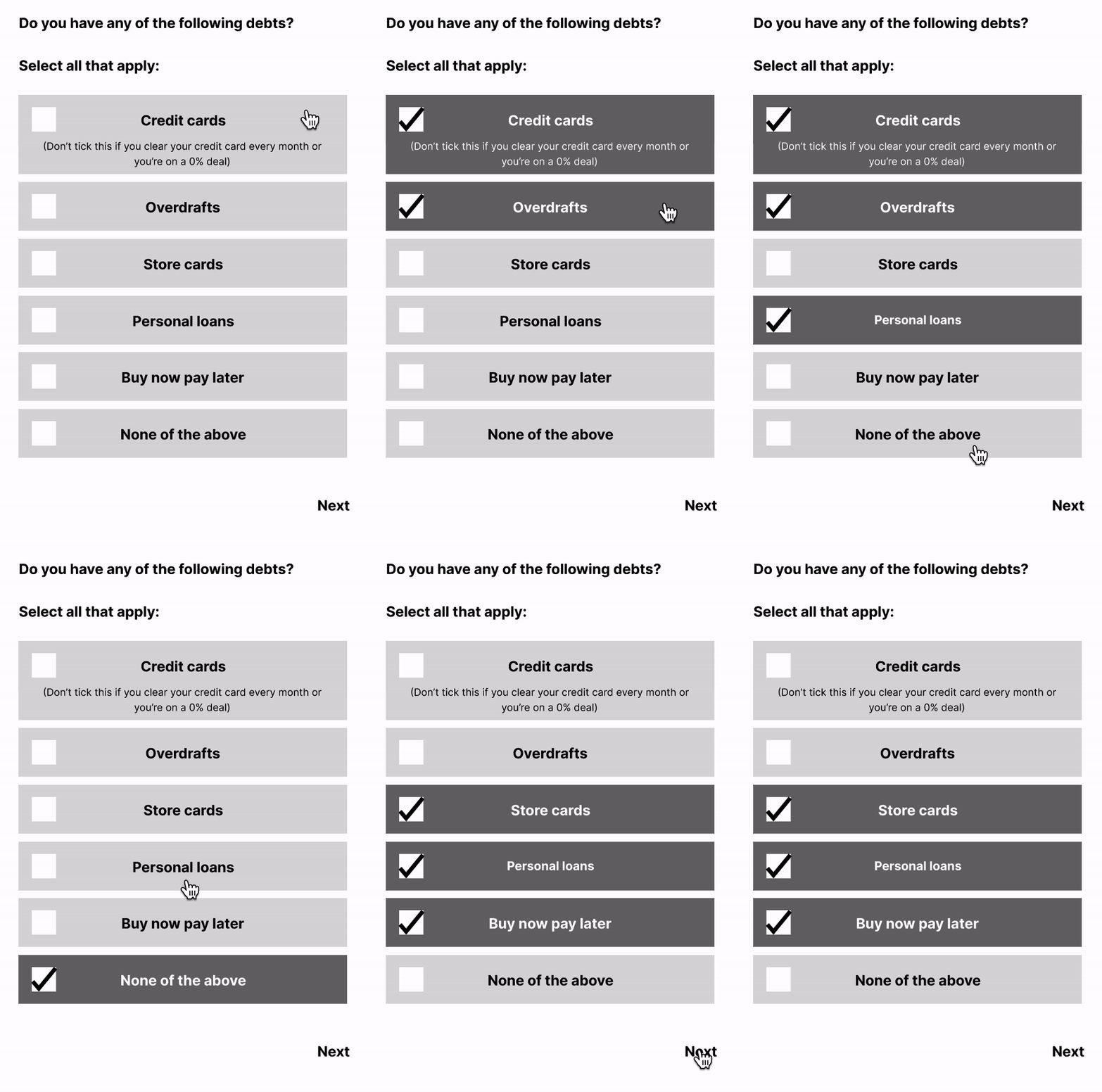
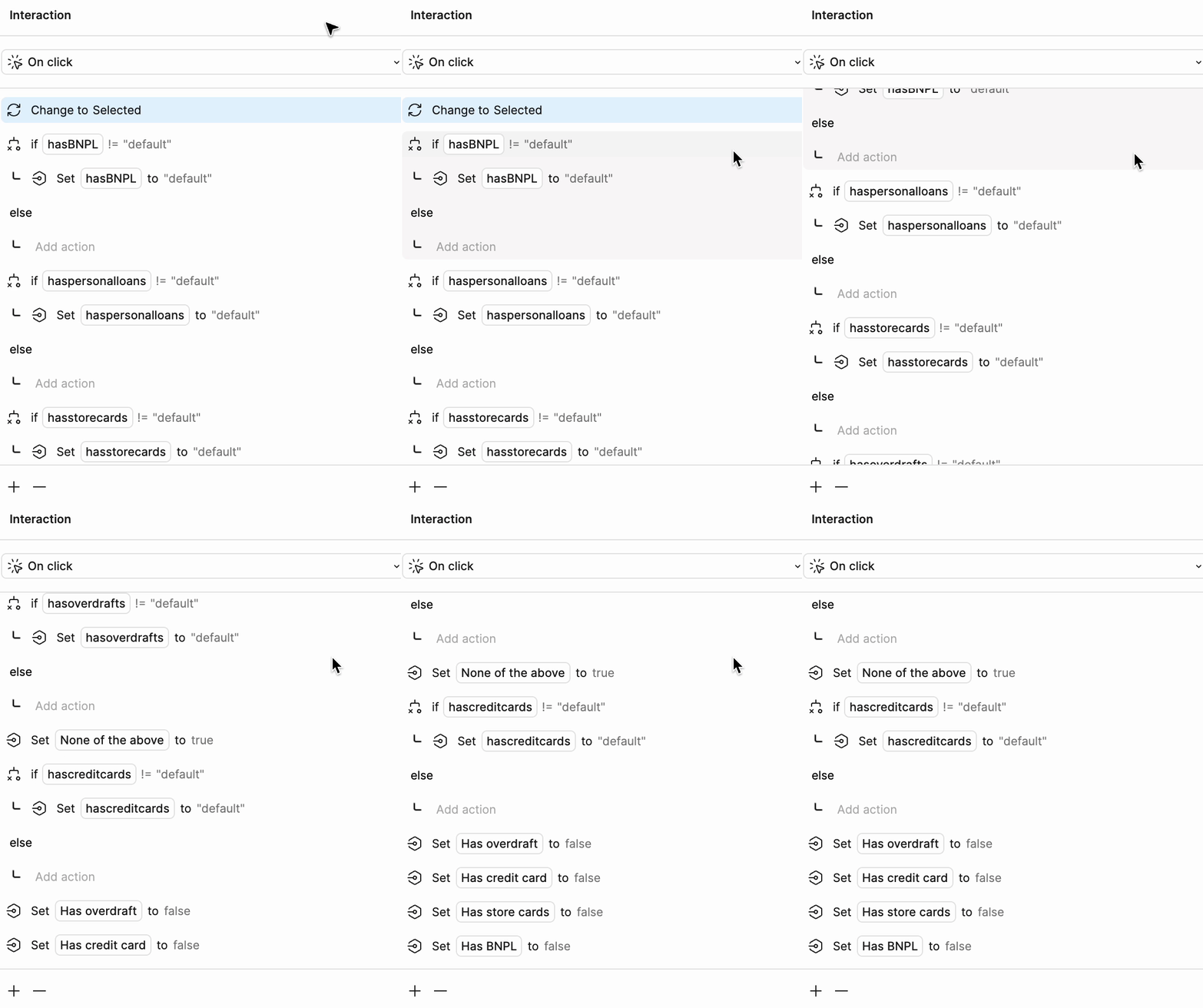
The left GIF shows the user-facing experience: it feels like a natural, responsive flow. The right shows the Figma variable/conditional structure behind it, which is considerably less glamorous but the reason it works.
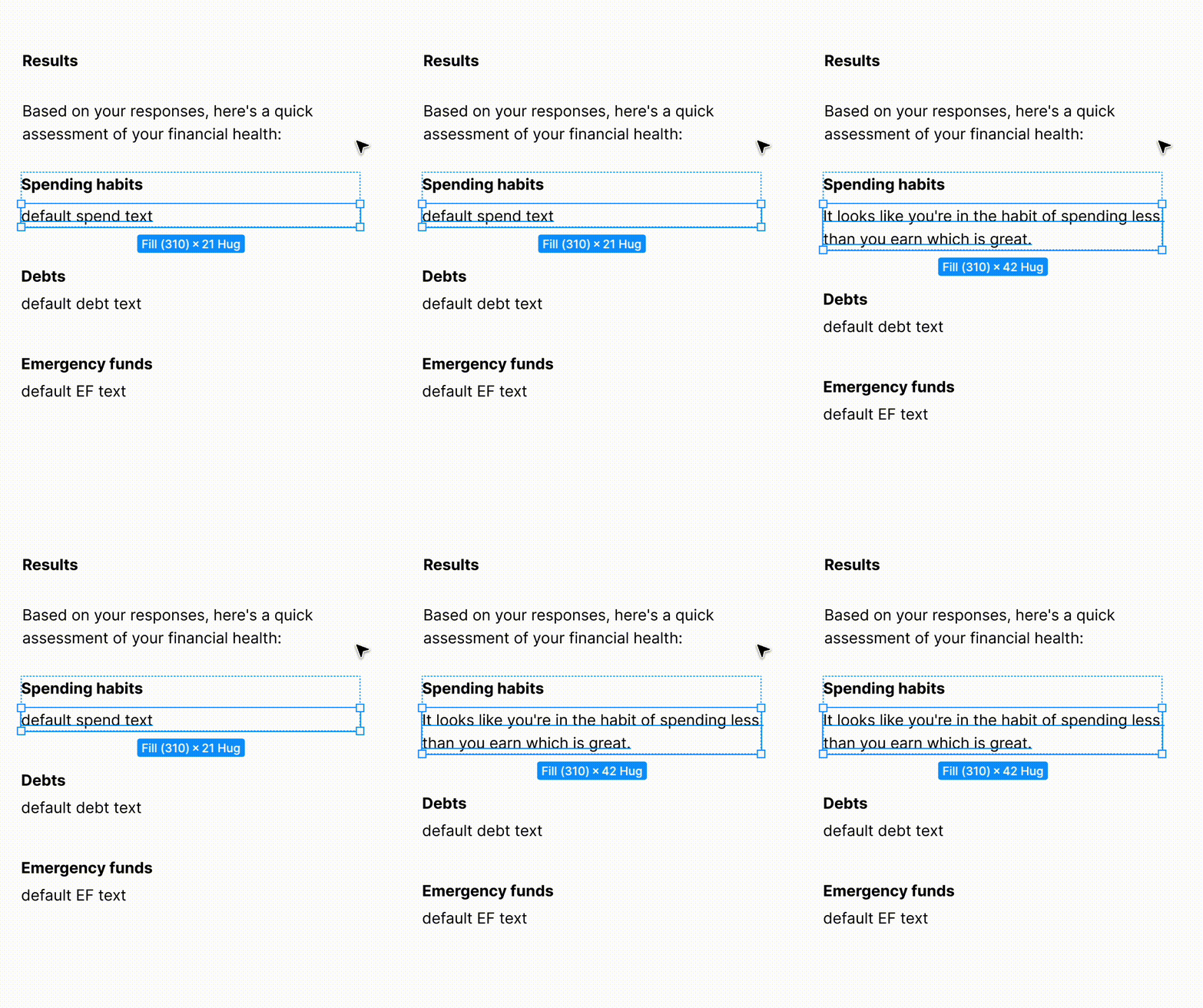
Prototype
The prototype is live below; try working through the flow as a user would. Notice how the copy adapts based on your earlier selections.
Reflection
Figma's variables system is genuinely powerful but has a real learning curve: the component architecture has to be right from the start, and retrofitting it midway is time-consuming. I'd recommend sketching the full variable and state tree on paper before opening Figma.
This approach works well for flows with a limited number of branching paths. For anything with more than 3–4 variables interacting, a coded prototype (see the Cursor project) becomes more efficient to build and easier to maintain.